Quick comparison
| Topic | vortex | Legacy Nexus Mod Manager |
|---|---|---|
| Licence | GPL-3.0 | Historical Nexus tooling |
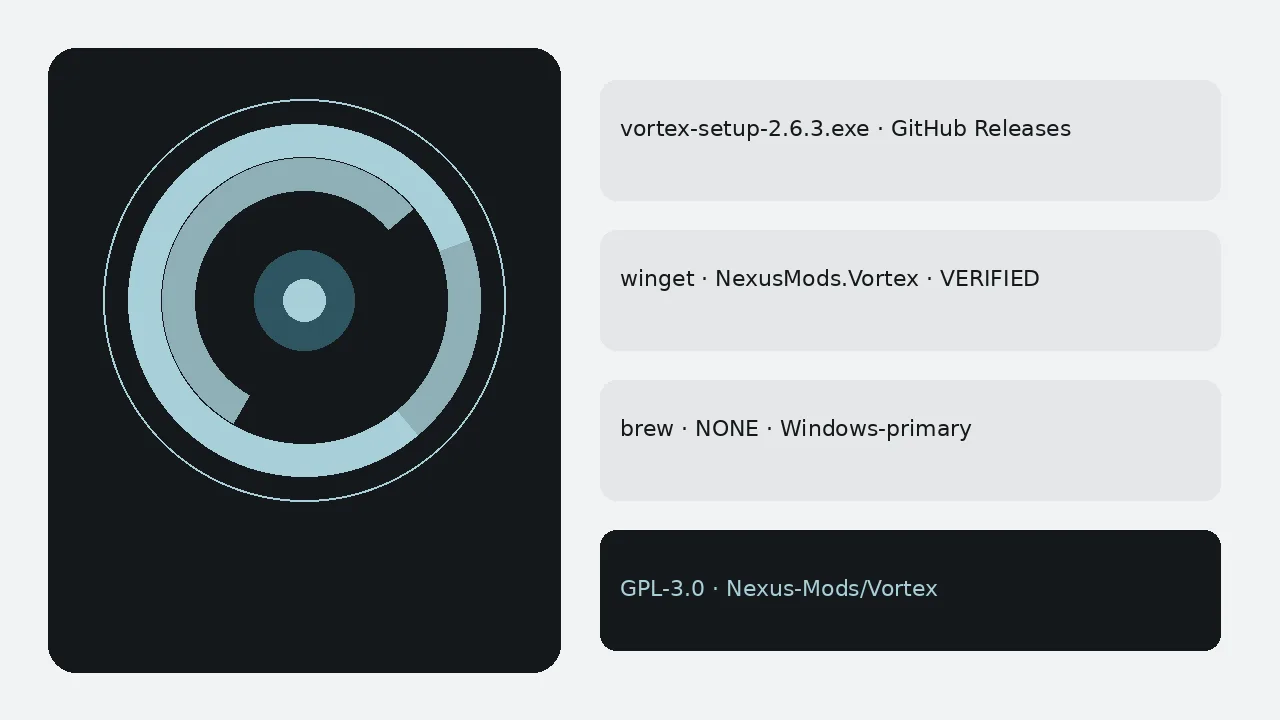
| Primary install | vortex-setup.exe / winget | Legacy installer doors |
| Nexus integration | Current first-party client | Legacy |
| Platforms here | Windows-primary | Windows historical |
| Brew cask | NONE | NONE |
Prefer vortex when
You want the current Nexus Mods mod manager with named Releases assets, verified winget, optional nxm downloads, profiles, and load-order help under GPL-3.0. New lab images should start here.
Prefer legacy tooling when
You maintain a carefully frozen historical list that still depends on the old manager and you accept the support cost. Document that choice explicitly so substitutes do not “upgrade” mid-semester without a cutover plan.
Install doors for vortex
Prefer vortex-setup.exe from the current non-prerelease Nexus-Mods/Vortex tag, or winget install -e —id NexusMods.Vortex. Skip adware portals. Skip prerelease beta tags. Keep brew NONE honesty in every note.
Cutover tips
Manage the same game folders. Rebuild enable order. Prove one deploy. Then uninstall the legacy manager when ready. Two tools fighting over one game folder confuse staging.
Lab and travel notes
Print the Releases URL, winget id, and brew NONE on the lab card. After each reimage, prove one mod deploy before you hand the machine back. Classroom images should pin the Setup.exe filename beside the OS version.
Support rhythms
Vague tickets that say only “NMM vs vortex” waste mornings. Ask which tool is installed, which tag was used, and whether deploy succeeded on a tiny mod. Substitutes can then recreate the desk without guesswork.
When a machine retires, uninstall vortex and clear staging folders per retention rules. Prefer the newest non-prerelease release tag that publishes vortex-setup.exe.
Internal runbooks
Internal runbooks should quote the winget id NexusMods.Vortex, brew NONE, and the Nexus-Mods/Vortex Releases URL without marketing adjectives. Staff skim under stress. A short checklist with five boxes outperforms a three-page essay that nobody finishes.
Related: vortex switch from Nexus Mod Manager, switch from Mod Organizer, Windows install, and download safely.
More desk habits that keep installs honest
Write the tag name and the Setup.exe filename on the machine card after every successful install. Substitutes should not guess under stress.
- Prefer GitHub Releases or the verified winget id when App Installer is present
- Skip Softonic-style portals that only rank for the head term
- Skip prerelease beta tags until they leave prerelease
- Keep brew NONE on every printed checklist
Shared apartments should document which Windows user owns the Nexus Mods account so downloads and deploy state do not collide.
Travel kits benefit from a single documented installer door written beside the staging folder. School machines should receive the installer on hardware they control, plus a shared note for the update door.
- Prove one mod deploy after every reimage
- Pin the Setup.exe filename beside the OS version
- Clear staging folders per retention rules when hardware leaves
Internal runbooks should quote the winget id, brew NONE, and the Releases URL without marketing adjectives. Staff skim under stress. A short checklist with five boxes outperforms a three-page essay that nobody finishes.
After a clean install, large modlists can overwhelm a new player. Start with a small managed game, then install heavier Nexus downloads once deploy works. Keep staging folders on a volume with headroom when you use asset-heavy projects. Keep one update door per machine. Treat Nexus credentials as separate from the Setup.exe install door.
This remains a Windows-first GPL-3.0 Nexus Mods mod manager. Honest platform limits protect readers more than invented brew or Flatpak doors.
Frequently asked questions
Which should new players install?
Prefer vortex from GitHub Releases or winget NexusMods.Vortex for new Windows installs. It is the current Nexus Mods mod manager under GPL-3.0. Legacy Nexus Mod Manager remains historical for old lists you still maintain carefully.
Do profiles migrate automatically?
No. Rebuild enable order by hand after you manage the same game folders in the current client. Prove one mod deploy before you uninstall the legacy tool on shared desks.
Is there a Mac or Linux door?
No official macOS or Linux binary ships on the stable Nexus-Mods/Vortex tags this guide covers, and there is no Homebrew cask. Use Windows Setup.exe or winget on a machine you control.